
Tutorial
How to Download Free Embroidery Designs: Step-by-Step Guide

Aug
How to Download Free Embroidery Designs
Go from finding a design to stitching it on your machine in about two minutes. Every free design comes in a ZIP with PES, DST, JEF and 5 more formats. All you need is a free account.
Download a Free Design in 4 Steps
The short version. Keep reading for screenshots, formats and tips.
Pick a free design
Find one you like in our Free section and open its page.
Create a free account
Click Register now and sign up with your email and a password.
Download the ZIP
Click the download button. The ZIP file saves to your Downloads folder.
Unzip and stitch
Extract the ZIP, copy the file for your machine to a USB stick and stitch.
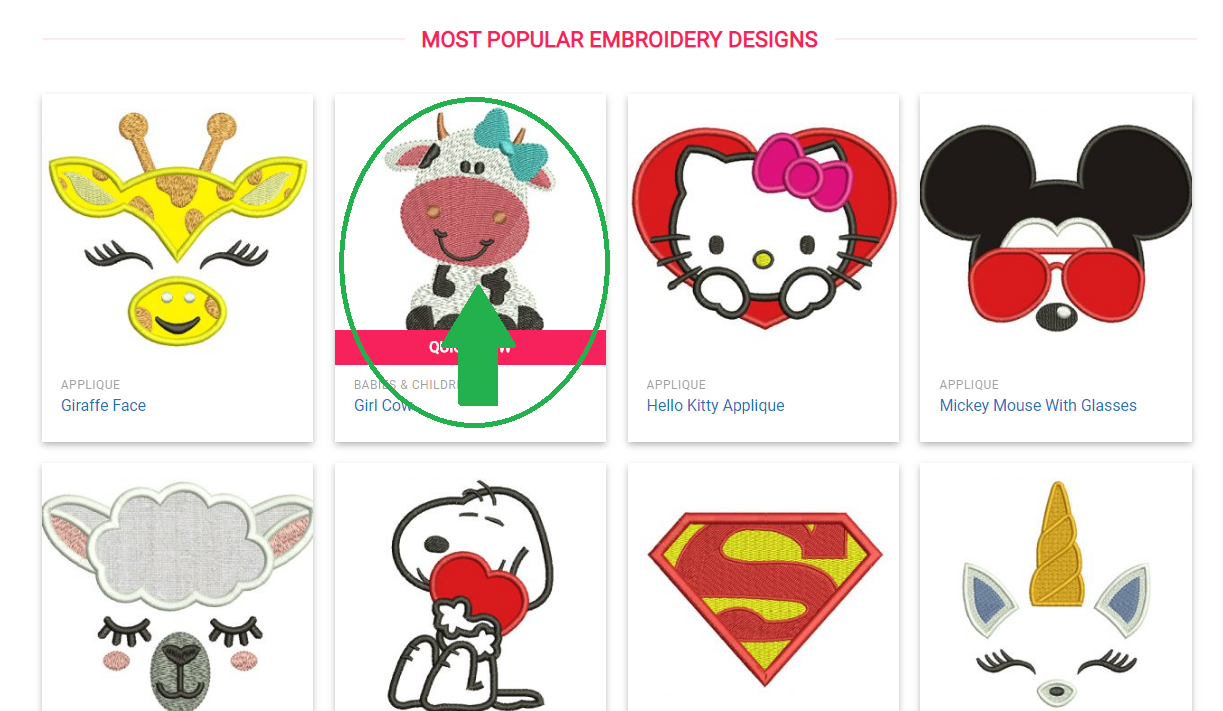
Find the Free Design You Want
Start in our Free section, where every design costs $0, or browse by theme: Christmas, Disney, Harry Potter, anime or logos. Not sure where to start? See the most downloaded designs.
Click a design to open its page. Before downloading, check the size, the stitch count and the number of colors, so you know it fits your hoop and how many threads you need.
Create Your Free Account
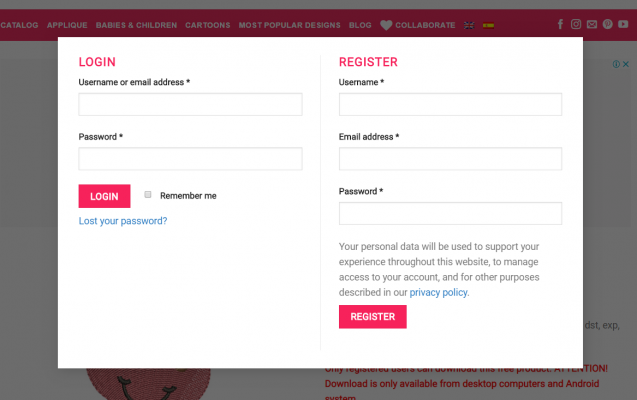
Free designs are for registered members. On the design page you will see the notice “Only registered users can download this free product”. Click Register now to download this free design, or Login / Register at the top of the site.
A window opens with two columns: Login on the left if you already have an account, and Register on the right if it is your first time. Enter your email, choose a password and you are in. No credit card needed.
Tip: use a password with at least 12 characters, mixing upper and lower case letters, numbers and symbols.
Download and Unzip the File
Logged in, go back to the design page and click the download button. You get a ZIP file with the design in every format. Here is how to open it:
Windows
Right-click the ZIP and choose Extract All, or Extract here with WinRAR or 7-Zip.
Mac
Double-click the ZIP and a folder with the files appears next to it.
Android
Open the Files app, tap the ZIP and choose Extract.
iPhone and iPad
Download with Safari, then open the Files app and tap the ZIP to unzip it.
On iPhone, other browsers and in-app browsers (Instagram, Facebook) can block ZIP downloads. Use Safari.
Pick the Right Format for Your Machine
The folder has the same design with different extensions. You only need one: the format your machine reads.
| Machine brand | Format to use |
|---|---|
| Brother & Baby Lock | PES |
| Janome & Elna | JEF |
| Tajima, Barudan & multi-needle machines | DST |
| Husqvarna Viking | HUS or VP3 |
| Pfaff | VP3 |
| Melco & Bernina (older models) | EXP |
| Singer | XXX |
| Some Janome & Kenmore models | SEW |
Not sure? Check the supported files in your machine manual, or read our guide to embroidery machine formats.
Send the Design to Your Machine
Check that the design fits your hoop, pick the right stabilizer and stitch a test on a scrap first.
USB stick
Works on almost every machine. Copy the file (not the ZIP) to the USB stick, plug it in and select the design.
WiFi
Newer machines like the Brother PE545 or SE700 can receive designs from your computer or phone through the brand app.
Cable or software
Some older machines need the manufacturer transfer software and a USB cable.
Need thread, stabilizer or a new hoop? See our embroidery supplies and machines picks.
Popular Free Embroidery Designs
Our most downloaded free designs. Each one comes with PES, DST, JEF, EXP, HUS, VP3, XXX and SEW.

Brands

Brands

Christmas

Anime

Christmas

Marvel

Hello Kitty

Harry Potter
Download Problems? Quick Fixes
No download button
Make sure you are logged in, then refresh the design page.
Nothing happens on iPhone
Open the site in Safari, not in Chrome or the Instagram and Facebook browsers.
Machine does not see the file
Copy the file itself, not the ZIP or a folder, to the root of the USB stick, and use the right format.
“Design too large”
The design is bigger than your hoop. Choose a smaller size or a larger hoop.
Strange file name
Rename it with simple letters and numbers. Some machines do not read long names.
Still stuck?
Contact us and we will be happy to help you.
Want More Than the Free Designs?
The Embroidery Club gives you unlimited downloads of 900+ premium designs in every format. One payment, no auto-renewal. Need your own logo? Our digitizing service starts at US$8.
See Club PlansFree Downloads FAQ
Quick answers about downloading and using our free designs.
Are the embroidery designs really free?
Yes. Everything in our Free section costs $0. You only need a free account (email and password) to download.
Can I sell items made with the free designs?
Yes. You can use our designs on items for personal use or to sell, such as shirts, caps and gifts. You cannot resell, share or redistribute the design files themselves.
Which format should I use for my Brother machine?
Use the PES file. Every ZIP includes PES, along with DST, JEF, EXP, HUS, VP3, XXX and SEW.
Do I need embroidery software?
No. The files are ready to stitch: unzip them and copy the file for your machine to a USB stick. Software is only needed to edit or resize a design.
Can I download embroidery designs on my phone?
Yes. Downloads work on Android with any browser and on iPhone or iPad with Safari. Then send the file to your machine by USB or WiFi.
Why does nothing happen when I click download?
Make sure you are logged in and refresh the page. On iPhone, open the site in Safari instead of Chrome or the Instagram and Facebook browsers.
Hi
How do you know when to change the thread. (Newbie at embroidery)
Thank you so much for patience and generosity.
Thank you so much for your help , I’m off now to browse the site.
maquina es brother 950 D INNOVIS pero no la en cuentro en la lista, me puede servir calquier bordado para brother de tamaño 10×10 cm que es el area de bordado de mi maquina?
can i download to a formatted usb stick?