
PES Embroidery Designs for Brother Machines
Every design in our shop includes the PES format, ready for your Brother embroidery machine. Download the ZIP, copy the .pes file to a USB stick and start stitching.
Popular PES Embroidery Designs
Customer favorites for shirts, caps, baby gifts and home decor. Each one comes with PES plus JEF, DST, EXP, HUS, VP3 and more.

Brands

Hello Kitty

Marvel

Movie & Character

Babies & Children

Harry Potter

Babies & Children

Letters & Monograms
What Is a PES Embroidery File?
PES is the stitch file format used by Brother embroidery machines, and Baby Lock machines read it too. The file tells your machine where every stitch goes, in what order, and when to change thread color.
PES is one of the most popular embroidery formats in the world, so it’s the file most home embroiderers look for. You don’t need any special software to use our PES designs: download, unzip, copy to USB and select the design on your machine.
Not sure which format your machine uses? See our guide to embroidery machine formats.
How to Transfer PES Files to Your Brother
The same simple process works on most Brother embroidery machines with a USB port.
-
Download the ZIP
After checkout, download your design from your account or the email link.
-
Unzip on your computer
Extract the ZIP file. Your machine can’t read files that are still zipped.
-
Copy the .pes file to USB
Copy the .pes file in the size you want to a USB stick. Keep file names short and simple.
-
Select it on the machine
Insert the USB, open embroidery mode, choose the USB source and select your design.
Can’t see the design on your machine? Make sure the file isn’t inside a folder that’s too deep on the USB stick, and that the design size fits your hoop. Some machines also connect by Wi-Fi or a computer cable; check your machine’s manual.
Choose the Right Brother Hoop
Our designs come in several sizes. Check the embroidery area of your hoop and pick the design size that fits inside it.
| Brother hoop | Embroidery area | Good for |
|---|---|---|
| Small | 1″ × 2.5″ | Names, tiny motifs, cuffs |
| 4″ × 4″ | 4″ × 4″ | Baby items, caps, pockets, small logos |
| 5″ × 7″ | 5″ × 7″ | T-shirts, towels, tote bags |
| 6″ × 10″ | 6.3″ × 10.2″ | Sweatshirts, pillows, larger designs |
| 8″ × 12″ | 8″ × 12″ | Jacket backs, quilt blocks |
Available hoops depend on your machine. Entry-level models like the PE535 or SE600 use up to 4″ × 4″, while larger models accept bigger hoops. Check your manual for the exact embroidery area.
Tips for Stitching PES Designs
Use the included size
Pick the size made for your hoop instead of resizing on the machine. Big changes in size can make stitches too loose or too dense.
Match the stabilizer
Use cut-away stabilizer for stretchy fabrics like t-shirts, and tear-away for towels and stable cotton.
Test stitch first
Try new designs on a scrap of similar fabric to check colors, density and tension before your final project.
PES Embroidery Bundles
Get 6 to 8 themed designs in one download, all in PES, for about $1 per design.
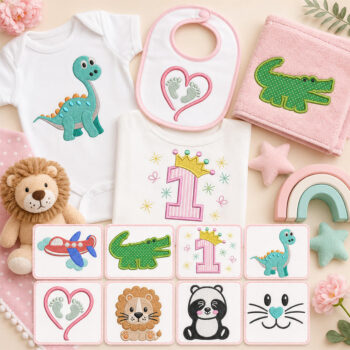
Babies & Children
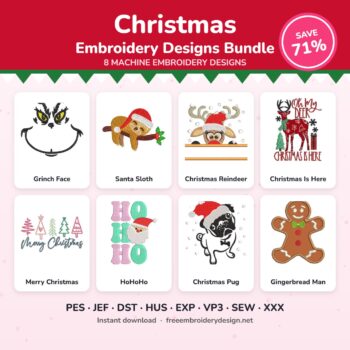
Christmas
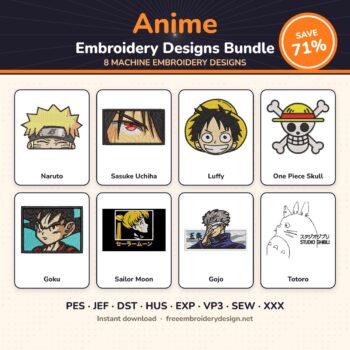
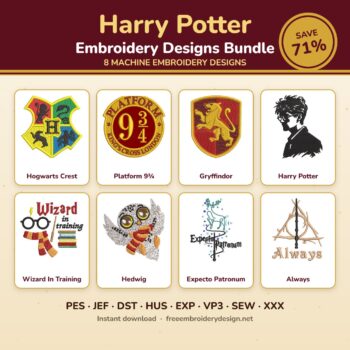
Harry Potter
PES Designs by Collection
Every collection includes PES files for your Brother machine.
Get 900+ PES Designs With the Embroidery Club
Unlimited downloads of our premium collection, all in PES and every other major format. One payment, no auto-renewal.
PES Embroidery Designs FAQ
Quick answers about PES files and Brother compatibility.
Do all your designs include the PES format?
Yes. Every design includes PES, along with JEF, DST, EXP, HUS, VP3, SEW and XXX, all in one ZIP file.
Which machines can use PES files?
PES is the native format of Brother embroidery machines, and Baby Lock machines read it as well. If your machine reads PES from a USB stick, you can use our designs.
Do I need software to use PES designs?
No. Unzip the download on your computer, copy the .pes file to a USB stick and select it on your machine.
Which size should I choose for my Brother hoop?
Pick a design size that fits inside the embroidery area of your hoop. A 4″ × 4″ hoop needs a design of 4″ × 4″ or smaller. Each design comes in several sizes.
Can I resize a PES design on my machine?
Small adjustments are usually fine, but large changes can affect stitch quality. It’s better to choose the included size that fits your hoop.
What is the cheapest way to get many PES designs?
Bundles give you 6 to 8 themed designs for about $1 each, and you can find many designs under $1. For unlimited downloads, the Embroidery Club gives you access to 900+ premium designs.